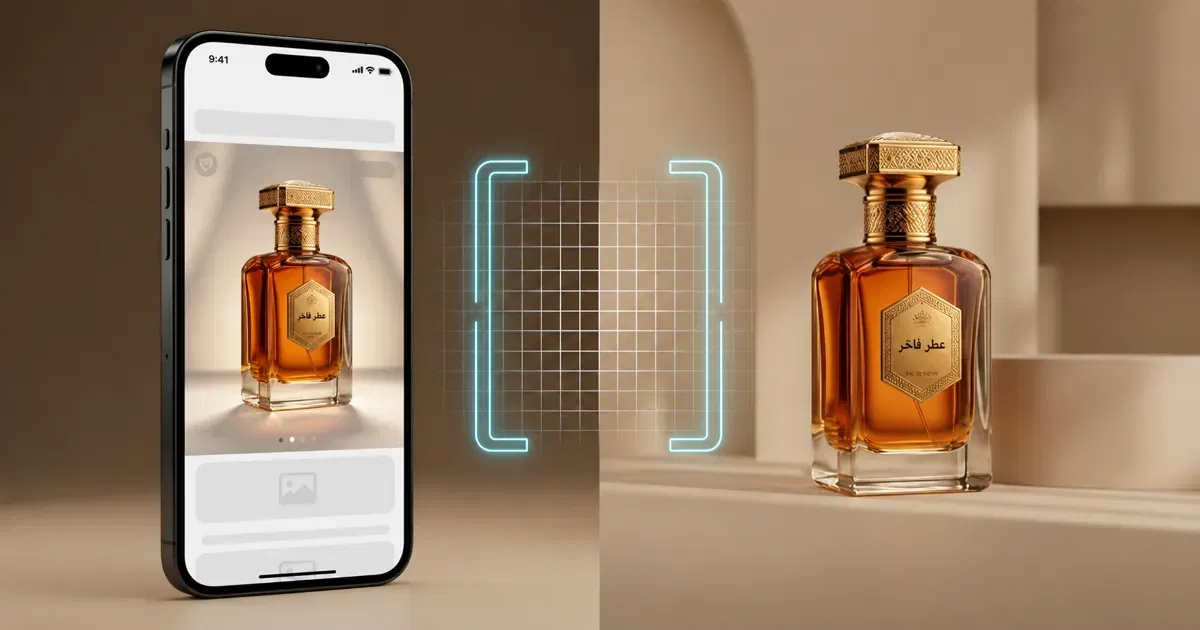
AI product photography closes that gap. It will not replace a hero shoot for your flagship product, but for the other ninety percent of your catalog, the restocks, the color variants, the seasonal bundles, it gets you to "good enough to publish" in minutes instead of days, at a fraction of the cost.
What AI Product Photography Actually Does
At its core, AI product photography takes a source image of your product, even a plain phone photo, and regenerates the scene around it: the background, the surface, the lighting, sometimes the camera angle. In other words, the tool works as an AI product photo generator: models built on image generation create AI-generated backgrounds for product photography, placing your product on marble, on sand, in a softbox studio, or in a lifestyle setting, while keeping the product itself accurate.
This matters more for Arabic e-commerce than people assume. Marketplaces like Noon and Amazon.sa have strict image guidelines (pure white backgrounds, specific crop ratios), while Instagram and TikTok reward warmer, lifestyle-driven visuals. Most small sellers cannot afford two separate shoots to satisfy both. When you use AI for product photography, you can create both versions from one source photo.
The Anatomy of a Strong Product Photography Prompt
Whether you are generating a hero shot or a lifestyle scene, five ingredients decide whether the output looks premium or looks obviously fake.
Subject: describe the product precisely, including material and finish. "A matte black ceramic perfume bottle" beats "a bottle."
Surface: what is it sitting on? Marble, sand, linen, glass. This single choice sets the price perception of the image more than anything else.
Lighting: soft studio light, warm afternoon sun, cool blue light. Match the lighting to the mood you are selling, not just what looks bright.
Angle: top-down flat lay, 45-degree hero angle, or eye-level lifestyle shot. Marketplaces usually want the hero angle; social wants variety.
Style: clean commercial, minimalist Gulf luxury, souq-market warmth, or clinical white-background catalog. Naming the style keeps the AI from defaulting to a generic look.
Stack these five in order and the model has a clear brief instead of a guess.
Weak vs. Strong Prompts: A Side-by-Side
Weak prompt: "Perfume bottle on white background."
You will get a bottle on a background, technically correct, completely forgettable, the same output ten thousand other sellers already have.
Strong prompt: "Product photo of a matte gold oud perfume bottle, centered on a pure white background, soft studio lighting from the top left, subtle shadow beneath the bottle, 45-degree hero angle, sharp focus, commercial e-commerce style, 4K, marketplace-ready crop."
Same product, same background requirement, but the second prompt tells the AI exactly how to light it, angle it, and finish it so it looks like a paid studio shoot rather than a placeholder.
Three Ready-to-Use Templates for Risha
Copy, adjust the brackets, generate.
- Marketplace hero shot (Noon / Amazon.sa compliant) "Product photo of [product] centered on a pure white background, soft even studio lighting, subtle drop shadow, straight-on hero angle, sharp focus, no props, commercial catalog style, 4K."
- Lifestyle shot (Instagram / TikTok Shop) "[Product] styled on [surface, marble, linen, wood], natural daylight from the [left/right], soft shadows, styled with [complementary props], warm lifestyle aesthetic, shallow depth of field."
- Flat lay (Arabic label / packaging close-up) "Top-down flat lay of [product] with visible Arabic packaging text, arranged on [surface], soft diffused lighting, minimal props, clean editorial composition, legible text, 4K."
Common Mistakes That Make AI Product Photos Look Fake
Ignoring Arabic text legibility. If your packaging has Arabic script, always specify "legible Arabic text" in the prompt and check the output closely, text is still where generative models slip most often.
Mismatched lighting across a catalog. If your first ten products use soft studio light and the next ten use dramatic side lighting, your storefront looks inconsistent. Save a lighting prompt and reuse it across every SKU.
Wrong aspect ratio for the platform. A square 1:1 marketplace image and a vertical 9:16 Story are different jobs. Specify the ratio every time.
Over-styling a marketplace shot. Noon and Amazon.sa want clean, prop-free images. Save the styled, lifestyle version for social.
Skipping the real product reference. Always generate from an actual photo of your product, not a text description alone, it is the only way to guarantee color and shape accuracy.
What Is the Best AI Product Photo Generator?
The best AI product photo generator is the one that keeps your product pixel-accurate while giving you real control over surface, lighting, and angle, and that handles the details your market actually needs. For Arabic e-commerce sellers, that means legible Arabic packaging text, Noon and Amazon.sa-compliant white backgrounds, and lifestyle styles that read as Gulf rather than generic. Risha combines multiple leading image models behind one Arabic-first interface, so you can test which model renders your product best without juggling separate subscriptions.
And if you want to try AI product photography free before committing, Risha’s 200 free credits are enough to generate a full set of test shots for your best-selling product, no payment details required.
The Workflow on Risha
Upload a plain photo of your product, even a phone shot works. Choose a template, marketplace hero, lifestyle, or flat lay, and fill in the brackets. Generate a few variations and pick the one where the product itself looks untouched and accurate. Batch the same prompt style across your catalog so every listing looks like it came from the same shoot. Export in the crop ratio your marketplace requires.
The Bottom Line
You do not need a studio, a photographer, or a week of lead time to make your catalog look like it belongs on a premium shelf. You need one good source photo per product and a prompt that tells the AI exactly what surface, light, and angle to use. Start with your best-selling SKU, get the prompt right once, and reuse it across the rest of your catalog.
Start creating on Risha, 200 free credits →